
GoNoGo
Because “pet-friendly” isn’t always friendly.
BetaDownload GoNoGo for Chrome or Edge — it's free.
GoNoGo helps travellers quickly identify hotel pet policies without digging through pages of fine print. For those with allergies or sensitivities, distinguishing between pet-free and pet-allowed properties is often unclear and time-consuming, making it difficult to book with confidence.
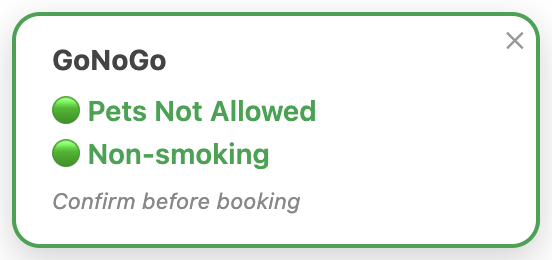
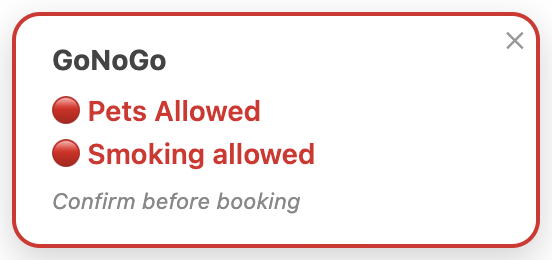
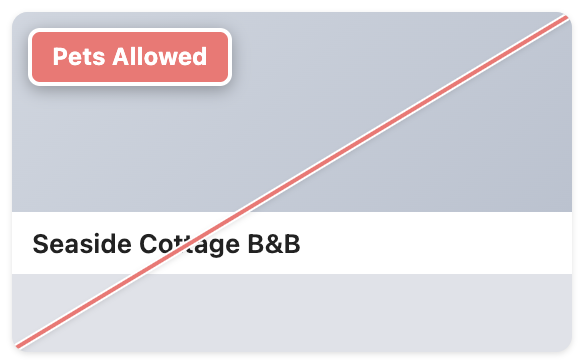
GoNoGo is a browser extension for Chrome and Microsoft Edge that highlights whether a hotel listing allows pets, with smoking policies shown where available. It currently works across Booking.com, Expedia, Hotels.com, Agoda, TripAdvisor, Priceline, and Trip.com (Trip.com is listing-page only — see the FAQ for why).
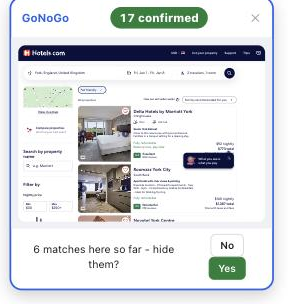
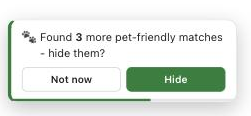
On search results pages, GoNoGo flags listings it can confidently identify as pet-friendly and gives you the option to hide them. Listings that are non-pet-friendly or unclear remain visible, so you can focus on the most relevant options without losing coverage.
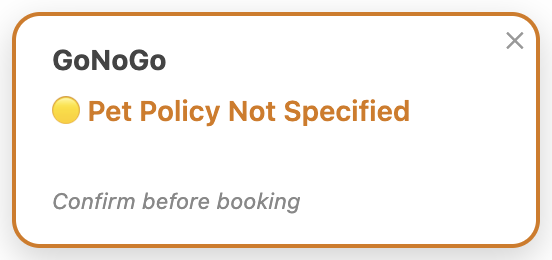
Results vary by site — it depends on what each site actually publishes. Booking.com, Expedia, Hotels.com, Priceline, and Trip.com state an explicit pet policy, so GoNoGo can confirm "not allowed" as well as "allowed." Agoda and TripAdvisor only show an amenities checklist rather than a stated policy, so GoNoGo can flag when pets are allowed but can't always confirm the opposite. It should be used as a guide rather than a definitive source — booking sites themselves aren't 100% reliable on pet policy, so we recommend checking the hotel's own website or contacting the property directly to verify before booking, especially where it's critical. If something looks wrong or missing, we'd genuinely like to know — see the feedback link below.
Service animals
In many regions, service animals are legally exempt from standard pet policies. GoNoGo does
not attempt to classify or exclude these cases. It simply reflects the general pet policy
stated in the listing, presenting the same information in a more accessible way.
See it in action
On a hotel listing page
On a search-results page
Guides: Pet-free hotels · Pet-free hotels (UK) · Hotels for pet allergies · "No pets" filter? · How to avoid pet-friendly hotels
Found a bug, have a suggestion, or want to request a site? Send feedback · FAQ
Found GoNoGo useful? ☕ Buy me a coffee · Privacy Policy
Like GoNoGo? Leave a review on the Chrome Web Store or Edge Add-ons